Intake & snapshot
Open an extracted .ap19/.ap20 project: LSA extracts blocks, tags, hardware and topology into a navigable snapshot.
TIA Portal analysis · Siemens-first
LSA performs the intake of a Siemens TIA Portal project, builds a structured snapshot and answers technical questions grounded on the real code. It compares two revisions at the semantic level — including the HMI, which TIA doesn't compare — and for modifications it interprets the requests, applies them to the real project via TIA Openness and verifies them by compiling. And when the project doesn't exist yet, it generates it from scratch starting from your documents — delivered compiled, error-free.
What it does
.ap19 archive to a technical answer, in minutesOpen an extracted .ap19/.ap20 project: LSA extracts blocks, tags, hardware and topology into a navigable snapshot.
Exports and parses the blocks via Openness: functional patterns, call graph, DB roles and machine type recognized.
Natural-language questions, answers anchored to the real code with block and DB citations.
Interprets the requests, maps them to the real blocks and applies them via Openness (LAD/DB blocks, HMI scripts) — with a preview and write access you arm explicitly — then compiles and re-exports to verify.
Semantic diff between two project versions — blocks, DBs and HMI (screens and scripts): what TIA Portal does not compare.
Give LSA specs and documents: it builds a new TIA project — blocks, DBs, HMI — delivered compiled, 0 errors.
PLC, HMI, library and topology inventories; project validation and compilation. Deterministic: they work even without AI.
The built-in check-up: verifies prerequisites (Openness, licenses, permissions) and generates a support report in one click.
If a detail isn't in the snapshot, LSA says so. No invented block or tag names.
Live demo
Chat, modification, revision diff and generation from documents. Everything you see — answers, plans, diffs, generated projects — is real LSA output on anonymized data; the write steps reproduce the app's flow with the outcomes measured in the dress rehearsal.
From request to verified modification
“Add an interlock on the oil pump”: LSA interprets the request and maps it to the project's real blocks.
See what would change, block by block, before touching the project.
Writing is disarmed by default: you arm it, then LSA applies the change via Openness.
The project is compiled and re-exported: the modification is proven, not promised.
Guardrails by default: you work on a copy of the project, fail-safe F_* blocks are off-limits by design, and nothing gets written without “arm”.
Tested end-to-end
Before every delivery, LSA goes through a full rehearsal on a real project. The latest, on the current version:
Deep analysis of a real project and a ladder-logic question, answered grounded on the code.
Request interpreted, applied via Openness and verified — judged 98/100.
Semantic comparison between two project versions, HMI included.
A new project built from documents — 0 compilation errors.
Coverage: TIA Portal V19 battle-tested, V20 ready. And without an AI connection, analysis, inventories, snapshots, diff, validation and compilation stay available.
In the app
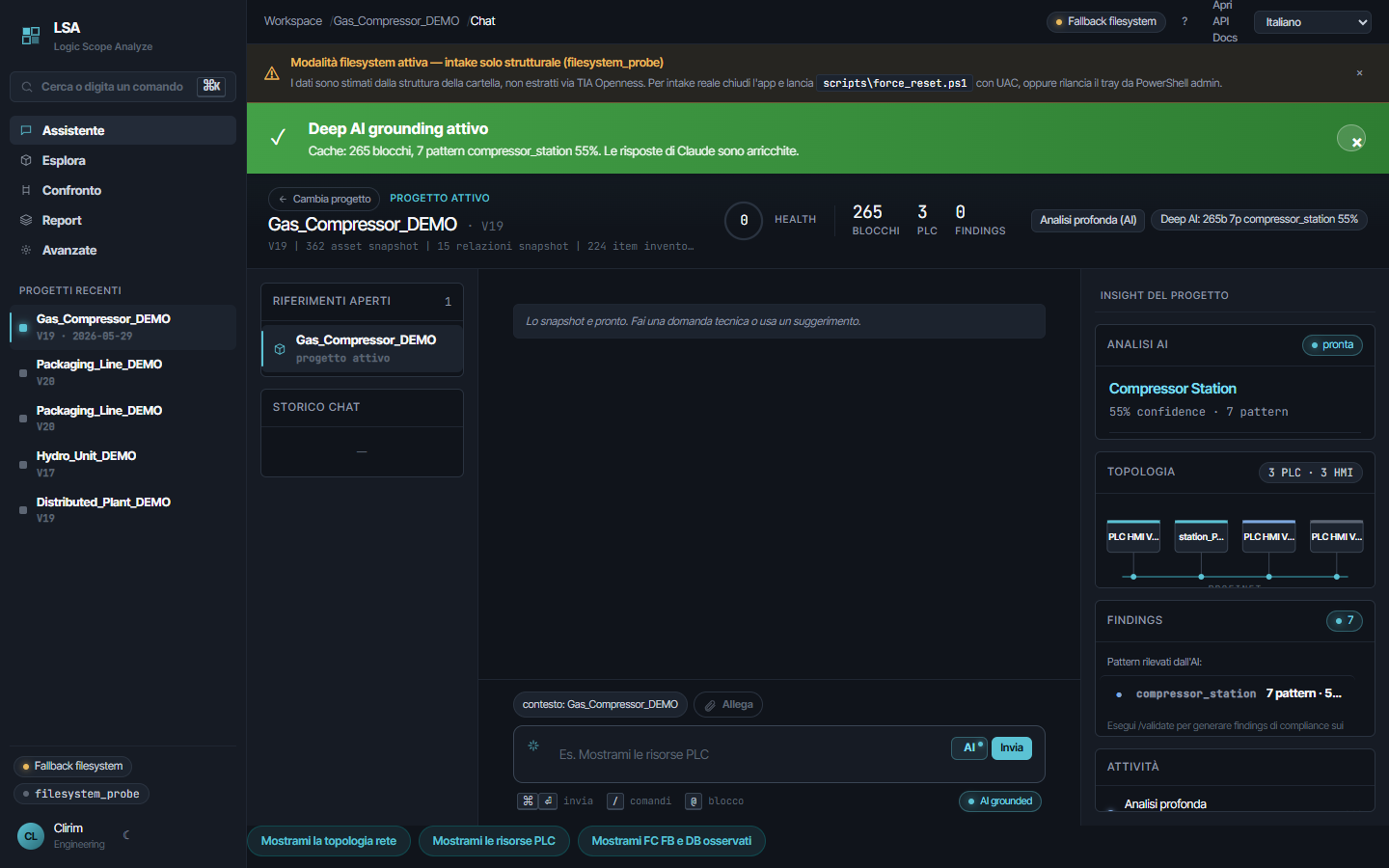
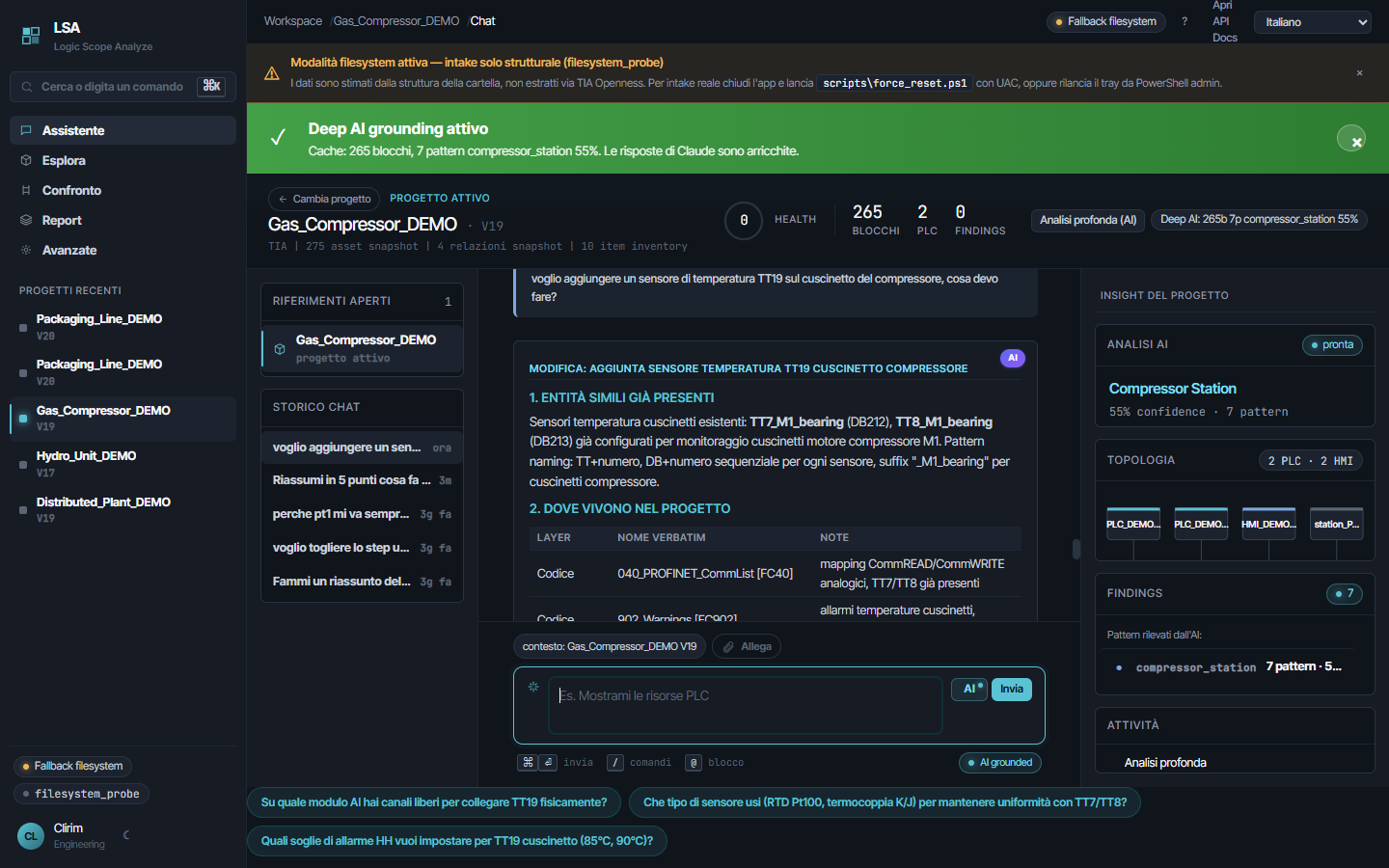
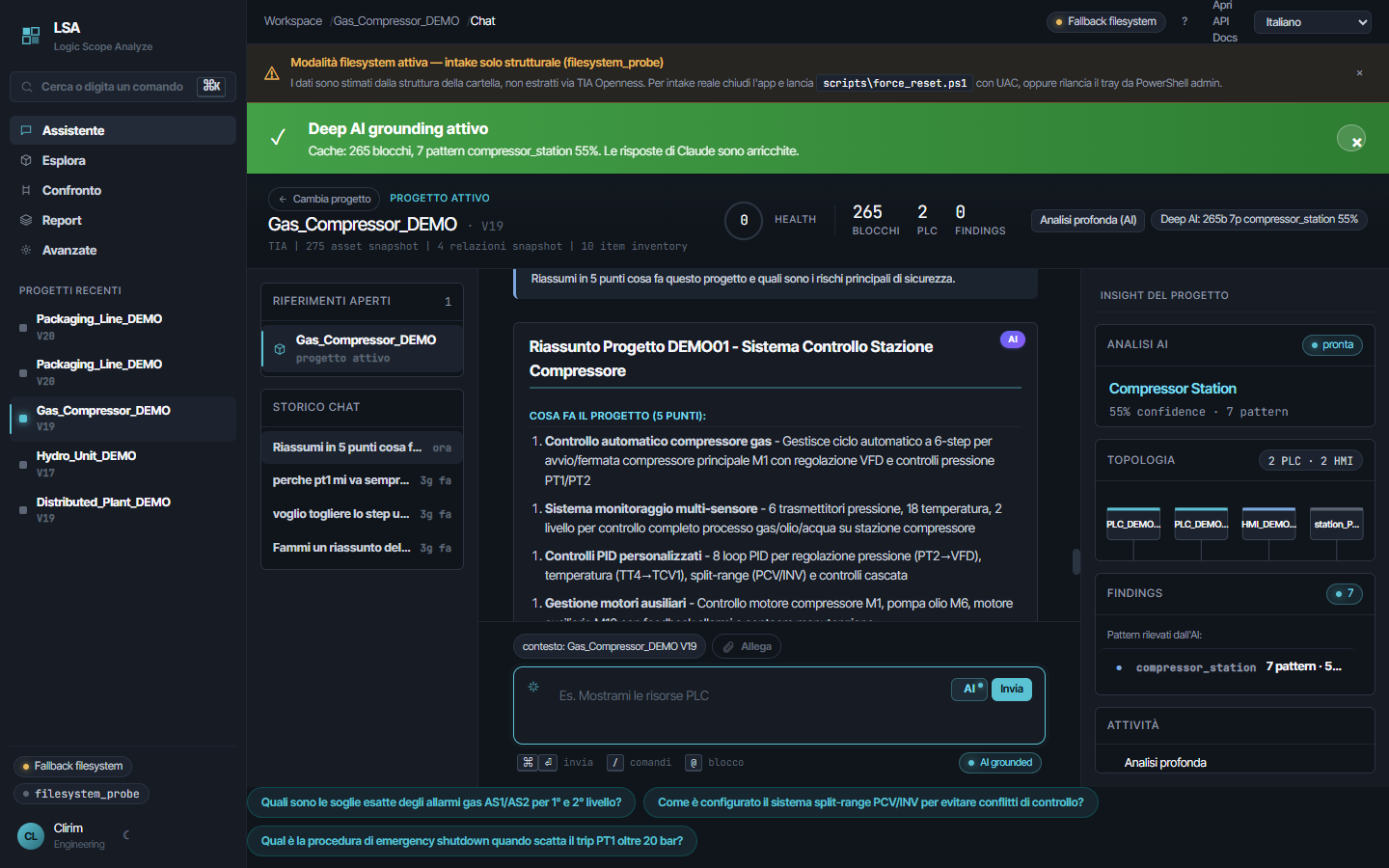
The full version runs locally on your Windows node, reads the real projects via TIA Openness and analyzes the whole portfolio — without sending anything to the cloud beyond the questions.